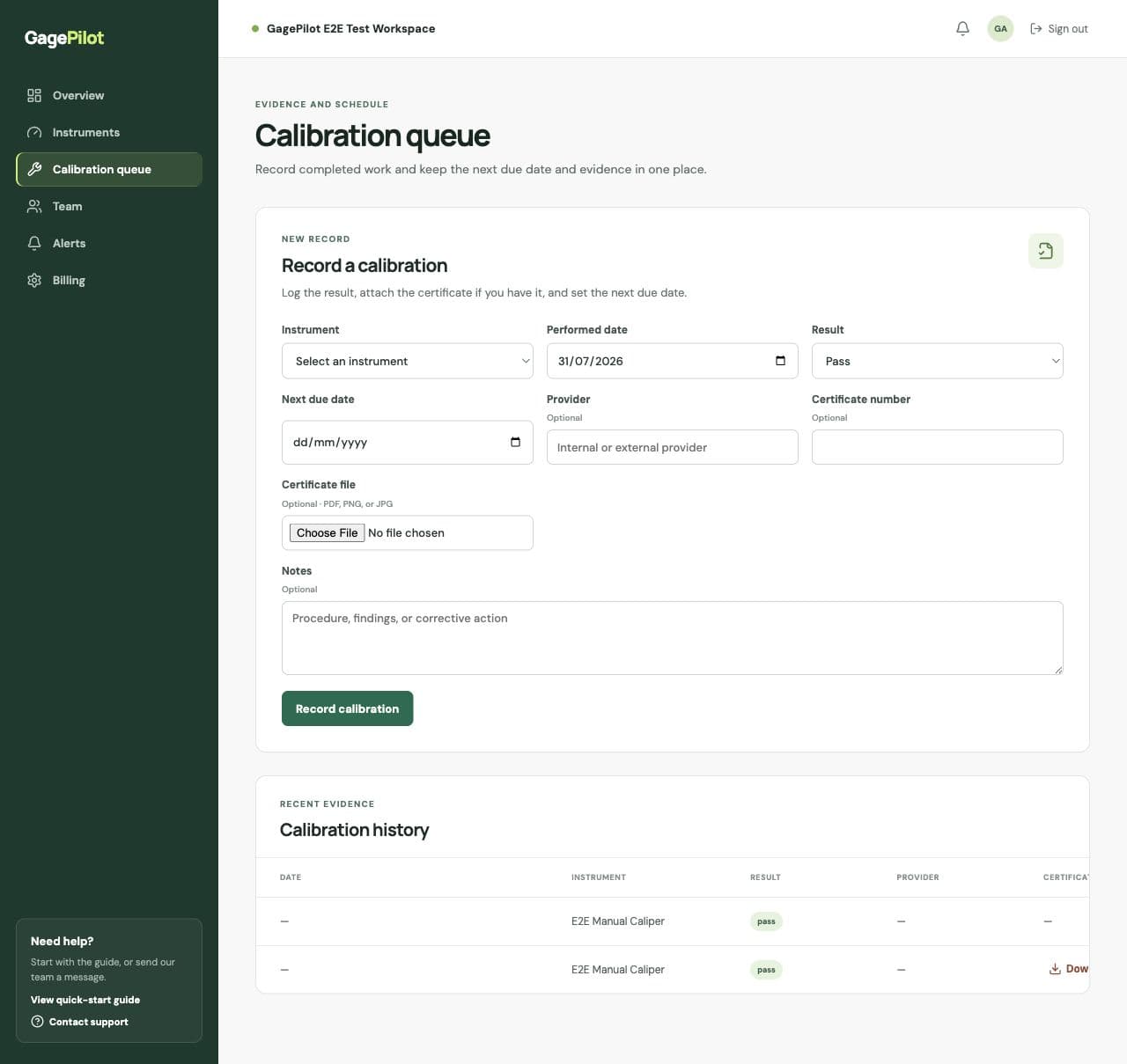
What to attach
- PDF calibration certificates
- PNG or JPG certificate images
- The provider’s certificate number
- Notes that explain findings or corrective action when needed
A reliable certificate workflow
- Confirm the instrumentSelect the exact asset ID before uploading evidence.
- Record the calibration eventEnter the performed date, result, provider, and next due date.
- Attach the certificateUpload the file in the same record so it does not become orphaned in a shared folder.
- Check the historyReview the instrument record and confirm the event and certificate are visible together.
Why filenames still matter
Even when the file is connected to an instrument, use a consistent filename such as `asset-id_provider_date.pdf`. It makes exports, downloads, and offline review easier for the people who maintain the quality records.
Certificates are part of your system, not the whole system
A certificate does not by itself prove that every controlled instrument was managed correctly. Your procedures, interval decisions, status controls, and response to failed results still matter.